跳到内容
跳到内容 
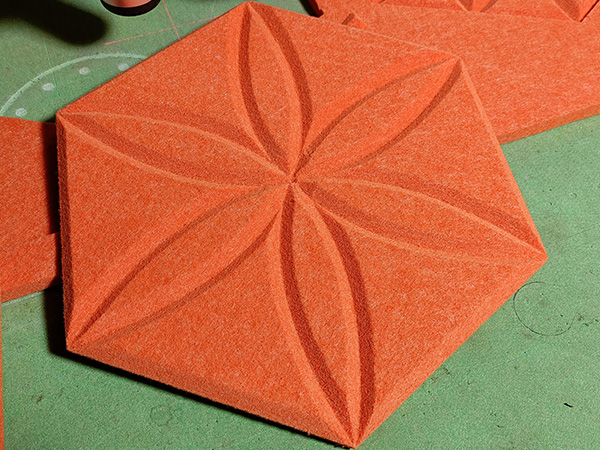
Hello everyone, I’m John from AMOR CNC.
Today, I’m excited to share with you how to achieve perfect curve grooving.
When you are grooving polyester fiber acoustic panels in a curve, have you ever encountered a situation where the bevel cutting tool is frequently lifted and dropped, but the curve grooving cannot be achieved?
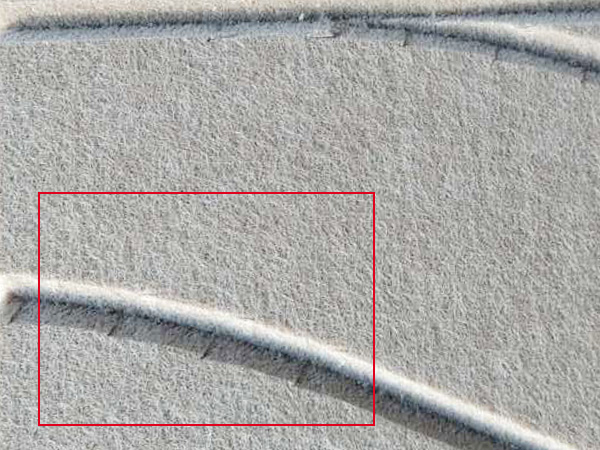
Ever wondered why these issues arise and how to effectively solve them? Well, you’re in the right place. Let’s dive into the solution.”
Set the Correct Grooving Mode
First, On the control panel, navigate to ‘Config’, then select ‘V cut’.
Next, click on ‘Other’ and ensure it’s set to ‘Cut One Side’.
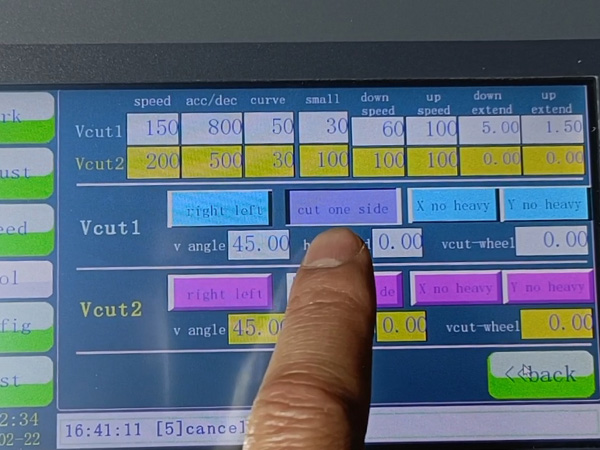
Set the Correct SP Operation Number
Now, change SP operation code of the processing graphics to SP5.
Following this, select all the curves, click ‘Edit’, and then ‘copy here’ to duplicate the curve
Click to select all curves.
Click ‘Reverse’ to change its machining direction.
This gives us two curves with opposite processing directions.
Finally, click ‘Send to Machine’ to transfer the graphics to the machine.
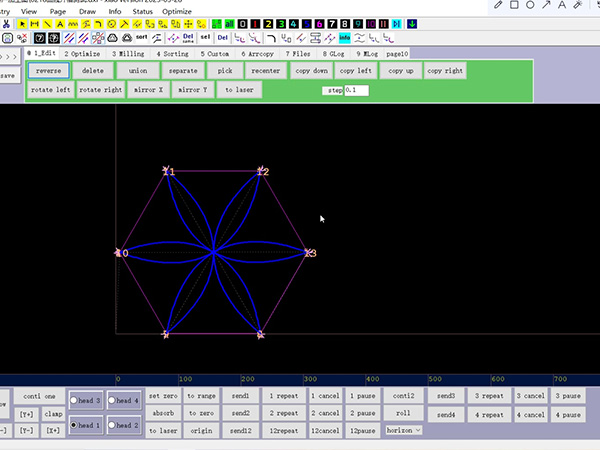
At this point, you’ll notice the machine performs the curve grooving flawlessly.
Did you find today’s tutorial helpful?
For more tips and tutorials, stay tuned to AMOR CNC. Until next time, happy cutting!